Accounting
How to Search for Company Data in Cyprus
Christopher Dosin · Founder / CTO

Learn how to search for company data in Cyprus through the official Department of Registrar of Companies portal. Access directors, shareholders, and financial filings for just €10.00 per company.
The Cyprus D.R.C. ( Department of Registrar of Companies ) is the primary official government body to check for data about registered businesses in Cyprus.
If you need to search for an actual company in Cyprus, with the option to have access to more detailed data like the directors, shareholders or even more - we'll show you how to use their service to find the data you need.
Using the Official Portal
The Department of Registrar of Companies and Intellectual Property maintains the official register of all companies incorporated in Cyprus. This public register is an invaluable resource for due diligence, business research, and verification of company details.
For each company data file you need to pay €10.00. This is an official service from the Cypriot Government - you don't have to pay €50 or more for third-party services that resell this data.
Register for Government e-Services
To gain access to detailed company data such as audits, you need a Government e-Services account first.
- Go to the Government e-Services page
- Click on create a company profile
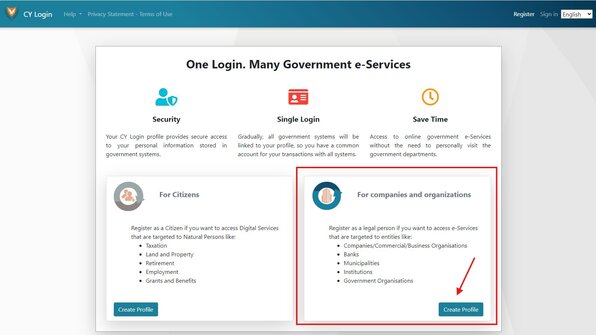
Follow the registration steps and complete the registration.
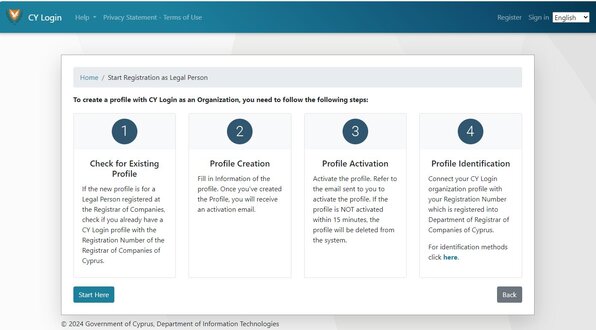
Step-by-Step Guide
1. Visit the D.R.C. Portal
Go to efiling.drcor.mcit.gov.cy and start your search.
2. Search for a company
Enter the company name in the search box and click Go.
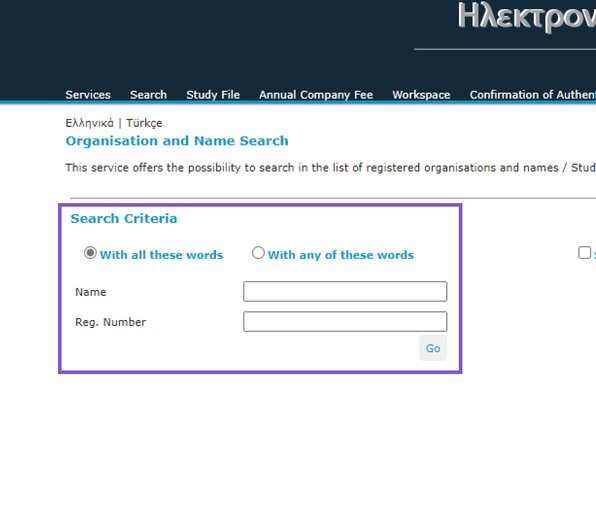
3. Select the company
Select the specific company you want to view from the results.
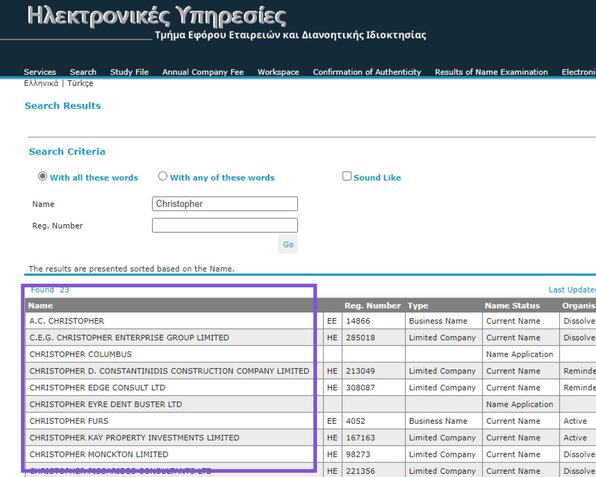
4. Study File
Click Study File to begin accessing the company's information.
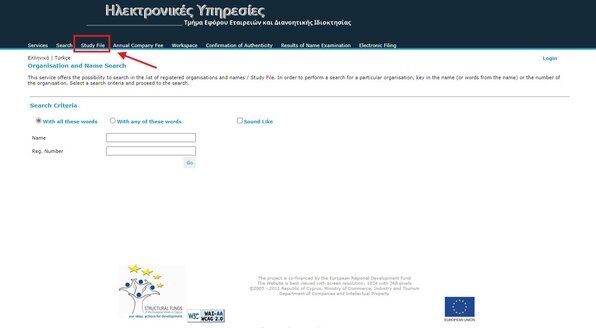
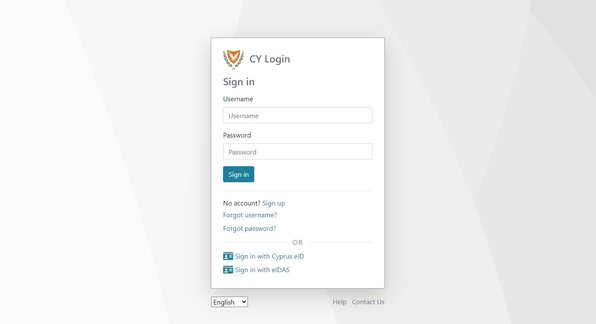
5. Login
Login with your Government e-Services account.
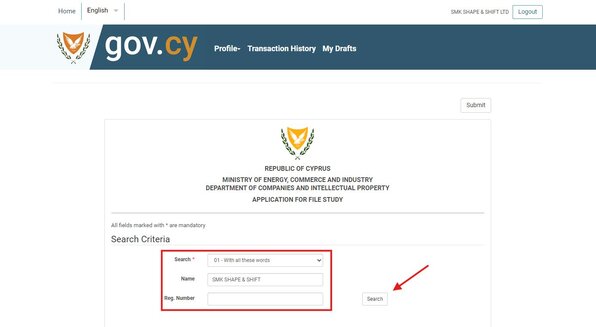
6. Search for the company again
Enter the company name or registration number and click Search.
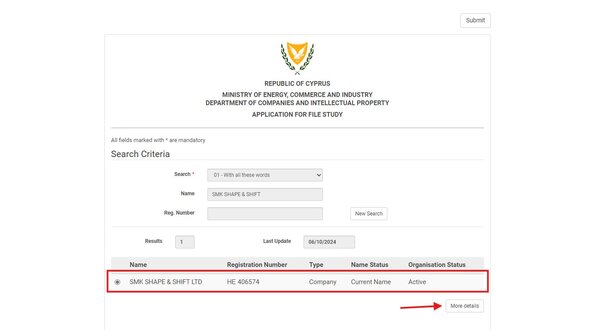
7. Choose the company
Choose the company and click More Details.
8. Confirm to study the file
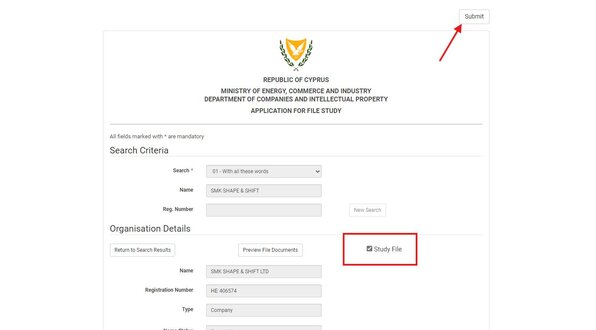
Tick the Study File checkbox and click Submit at the top right.
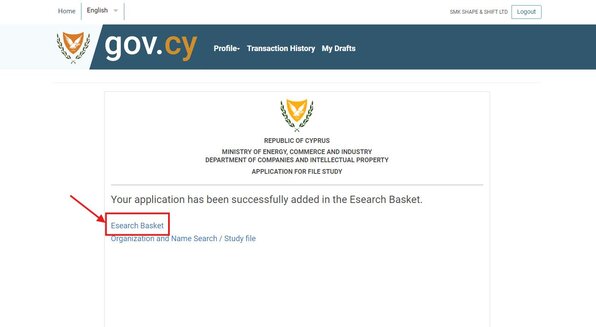
9. Go to the e-search basket
Click the Esearch Basket link to proceed to payment.
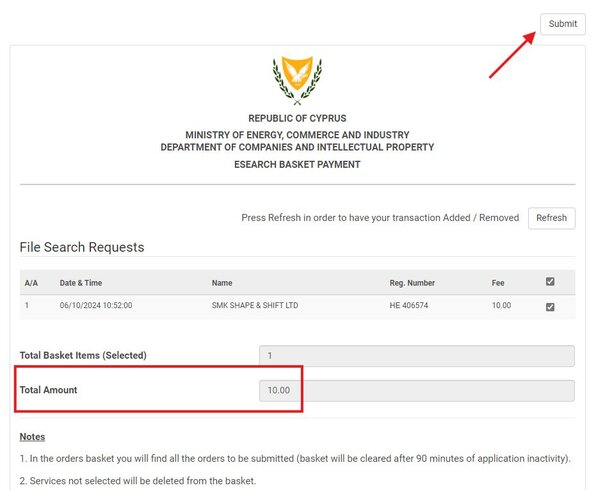
Hit Refresh if you don't see the result in the basket immediately.
10. Access the files
Go back to the company register page and click Workspace. Click the result to access the data.
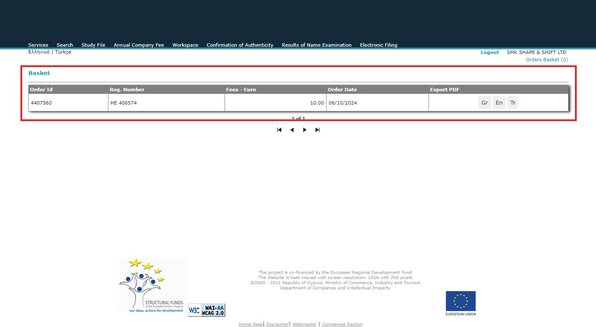
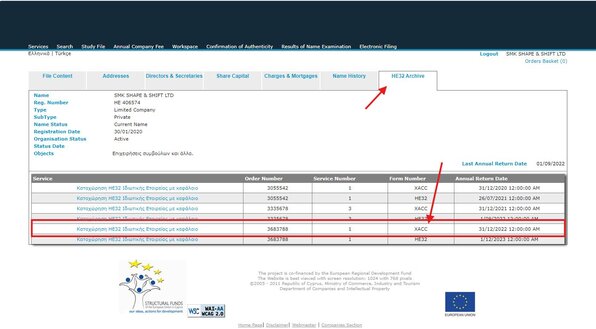
Click on HE32 Archive to search for the audit. The audit has Form Number XACC - click it to download.
Important: You can access the data for 24 hours only. After that, you need to purchase it again.