Accounting
How to Submit a VAT Return in Cyprus in 2025
Christopher Dosin · Founder / CTO

Complete step-by-step guide to filing your VAT return in Cyprus using the Tax For All portal. Learn deadlines, process, and tips for 2025.
Overview
Filing your VAT return in Cyprus is a mandatory requirement for all VAT-registered businesses. In 2025, the process is conducted entirely through the Tax For All (TFA) online portal managed by the Cyprus Tax Department.
This guide walks you through every step, from logging in to submitting your return and making payment.
Who Needs to File a VAT Return?
Any business or individual registered for VAT in Cyprus must submit a VAT return - typically on a quarterly basis. Returns are due 40 days after the end of each VAT period.
| VAT Period | Filing Deadline |
|---|---|
| Jan to Mar | 10 May |
| Apr to Jun | 10 Aug |
| Jul to Sep | 10 Nov |
| Oct to Dec | 10 Feb |
Step-by-Step: Filing via Tax For All (TFA)
1. Log in to the TFA Portal
Visit taxisnet.mof.gov.cy and log in with your credentials. If you don't have an account, you'll need to register and verify your identity.
2. Navigate to VAT Returns
From your dashboard, select "VAT" from the top menu, then click "Submit VAT Return".
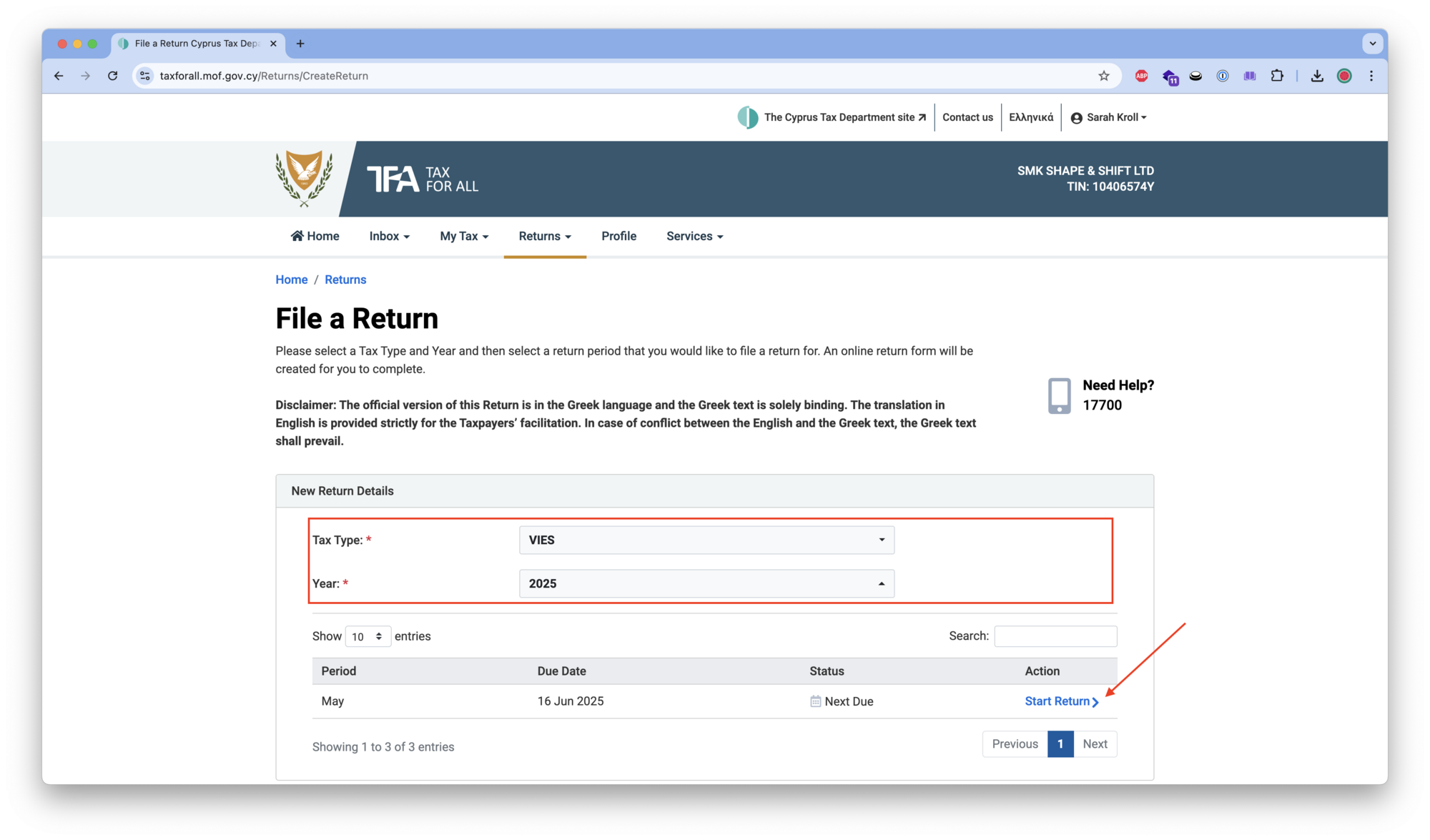
3. Select the VAT Period
Choose the correct tax period from the dropdown. Ensure you're filing for the right quarter.
4. Enter Your VAT Figures
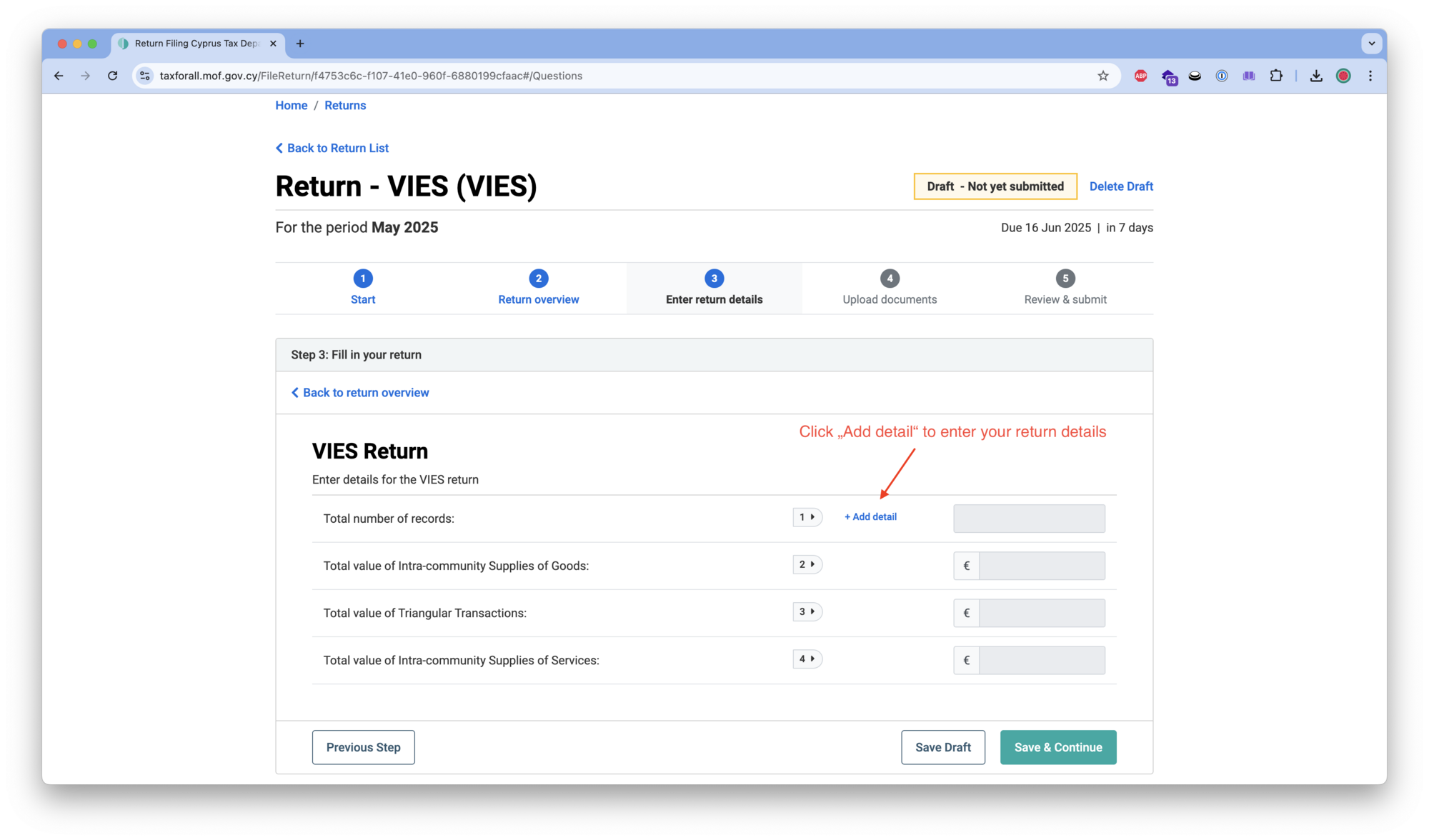
You'll need to fill in the following key boxes:
- Box 1: VAT charged on sales (output tax)
- Box 2: VAT on acquisitions from EU member states
- Box 4: VAT reclaimable on purchases (input tax)
- Box 5: Net VAT payable or reclaimable
- Box 6: Total net sales (excluding VAT)
- Box 7: Total net purchases (excluding VAT)
- Box 8: Total net sales to EU countries
- Box 9: Total net acquisitions from EU countries
5. Review and Submit
Double-check all figures against your accounting records. Once you're satisfied, click "Submit". You'll receive a confirmation reference number.
6. Make Payment
If VAT is due, pay by the deadline to avoid penalties. Accepted payment methods include bank transfer and online banking through the TFA portal.
Common Mistakes to Avoid
- Wrong VAT period: Always verify the period dates before submitting
- Missing EU transactions: Don't forget to declare any B2B sales or purchases within the EU
- Incorrect input tax: Only reclaim VAT on business-related purchases with valid invoices
- Late filing: Penalties apply from the first day after the deadline
Tips for 2025
- Use accounting software like cybooks to automatically prepare your VAT figures
- Keep all invoices (both sales and purchases) organised and accessible
- Set calendar reminders 2 weeks before each deadline
- If your business trades with EU companies, also check your VIES return obligations
Related: cybooks handles VAT return preparation, VIES reporting, and invoicing for Cyprus businesses out of the box.
Need Help?
If you're unsure about any aspect of your VAT return, consider working with a qualified Cyprus accountant or contact the Cyprus Tax Department directly.